
How to list all transactions executable for a role.
Posted by
Admin at
|
Share this post:
|


|
0 Comments
Goto SUIM----> transactions----> executable for role.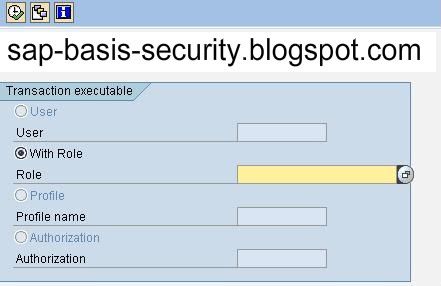
and enter the role name and press F8 to get the results.
but this gives only tcode in the menu of the role.
It will not show the tcodes that are added manually to the role in S_TCODE object.
To find all tcode executable for role along with the tcode that are present in the tcd field..
goto se16 enter agr_1251 and click on data browser button 
enter the role name in agr_name field and enter tcd in FIELD field ash shown in figure.
Then click on execute button  or press F8 to execute and you will see the list of tcodes executable for that role as below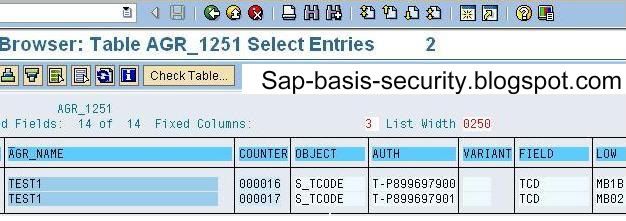

Keyword: BASIS
Title : How to list all transactions executable for a role.


